
'Work'
'Work' apps earn FTC: they generate time for 'Fun' apps.
For example:
Khan Academy
Duolingo
Google Classroom
Kindle

TimeCredit lets you:
Because blocking isn’t enough. Most screen-time apps punish — TimeCredit rewards: with Fun Time Credit, leisure time is earned through useful time. The result: fewer conflicts and a balance that lasts, for your children and for you.
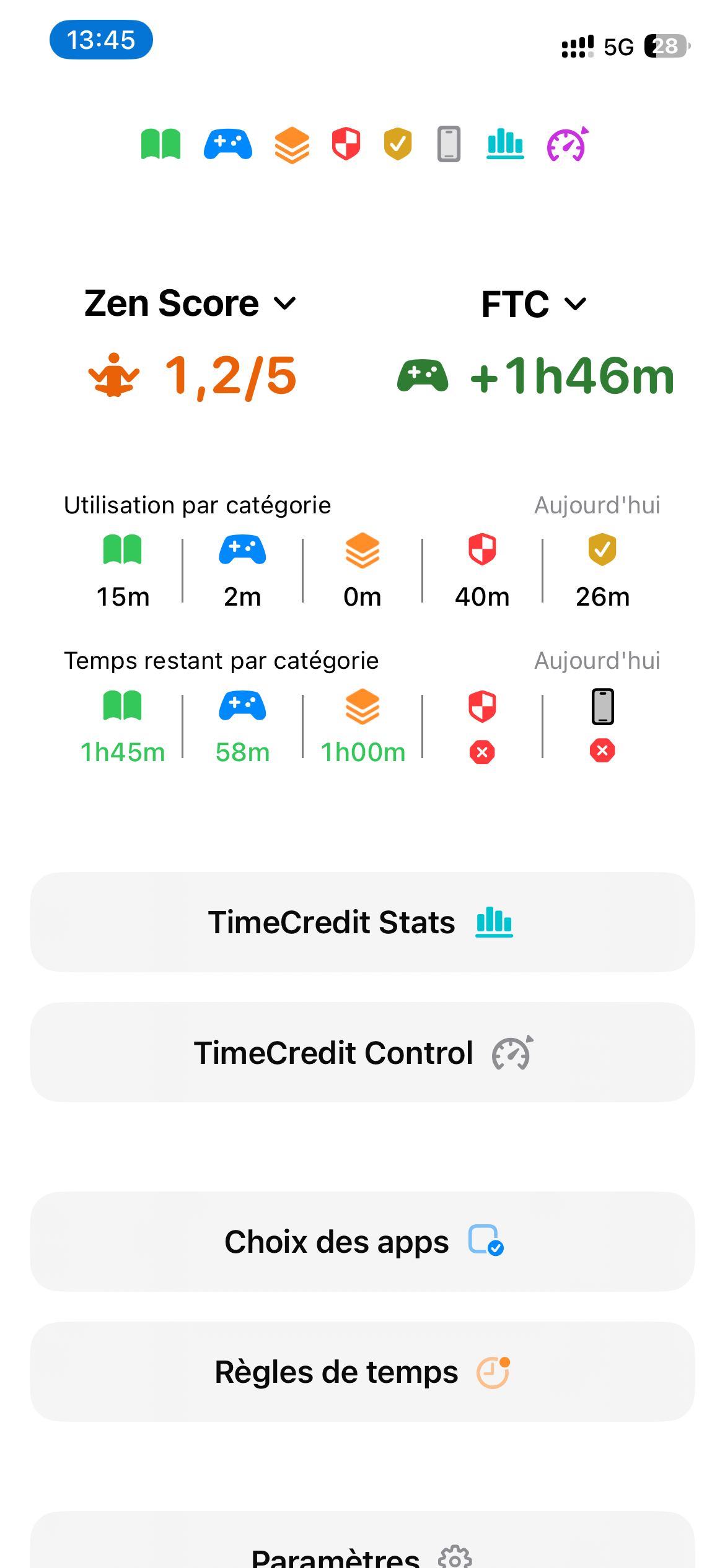
Two simple indicators, side by side: your Zen Score, which shows at a glance whether your screen time is healthy, and your Fun Time Credit, which measures the work / leisure balance. You set the rules, the device applies them — no surprises, no arguments.
And everything stays with you: 100% offline, no ads, no tracking, no account. Your data — and your beliefs — never leave your phone.
Digital wellbeing
The Zen Score is a simple measure, from 0 to 5, of your digital wellbeing. It’s based on your average daily screen time, computed over an observation window you choose (a week, two weeks, a month…). The more moderate your use, the higher the score.
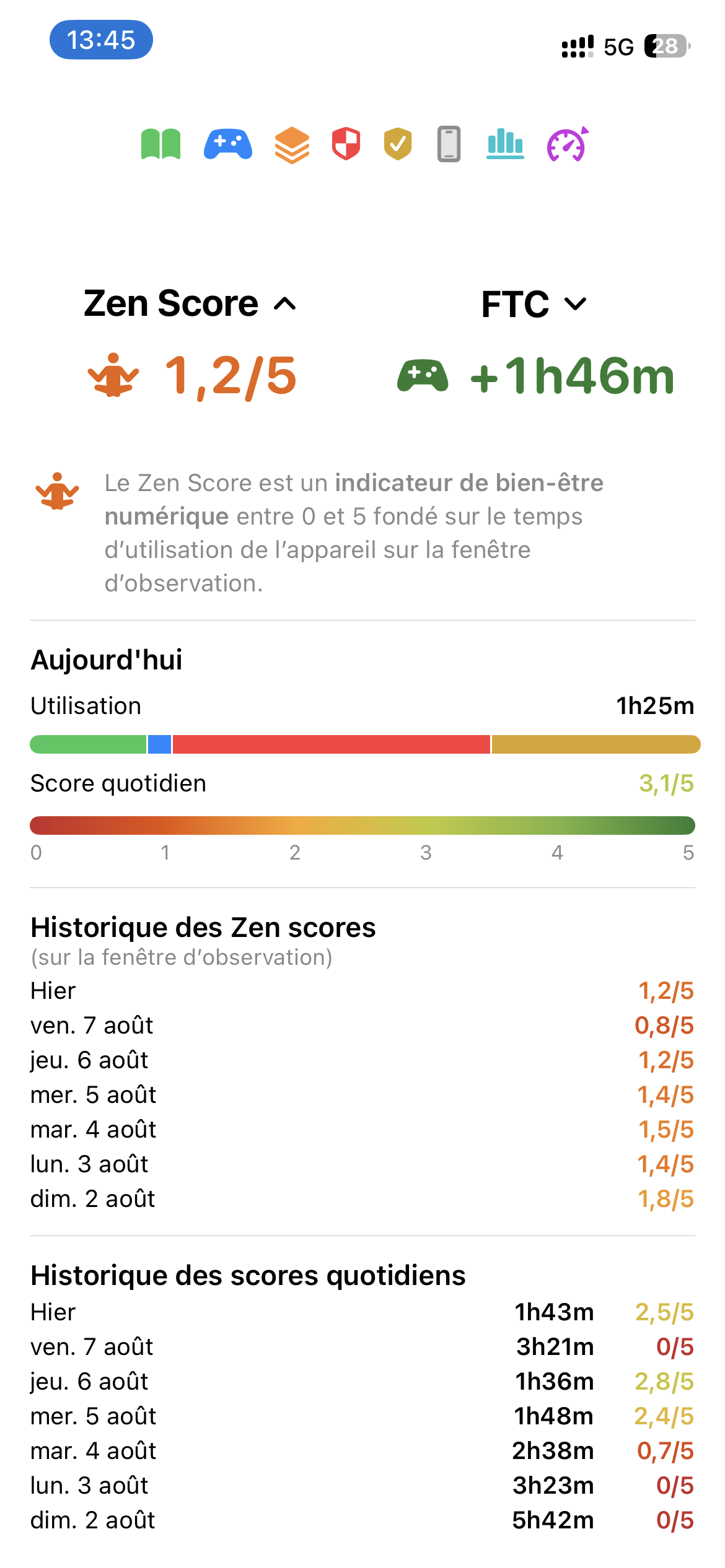
 View App Usage: TimeCredit Stats
TimeCredit Stats shows how your selected apps are used: when they are used and for how long.
See your balance at a glance: how much 'Work', how much 'Fun', and whether your FTC is positive or negative. You can also review app usage by day, week, and month.
 Manage Screen Time: TimeCredit Control
Enable TimeCredit Control to automatically allow or block 'Fun' apps according to your available credit. You can also define screen-time rules such as daily limits and allowed time windows.
When enabled, TimeCredit Control applies your rules to the selected apps, app categories, or web domains, depending on Fun Time Credit, daily caps, and time settings.
You classify apps into four categories: 'Work' / 'Fun' / 'Monitored' / 'Restricted' . All categorized apps are monitored automatically, but each category follows a different logic for usage and control.
'Work' apps earn FTC: they generate time for 'Fun' apps.
For example:

'Fun' apps use FTC: they are allowed only when credit is available.
For example:

'Monitored' apps neither earn nor consume FTC. They are tracked only. No control rules are applied to them.
For example:

'Restricted' apps neither earn nor consume FTC. They are subject to control rules.
For example:
Screen-free time
Beyond your daily balance, TimeCredit can put the whole device to rest on a schedule — automatically, and entirely on the device (no network, no tracking).
Your religious data and your location never leave your device.
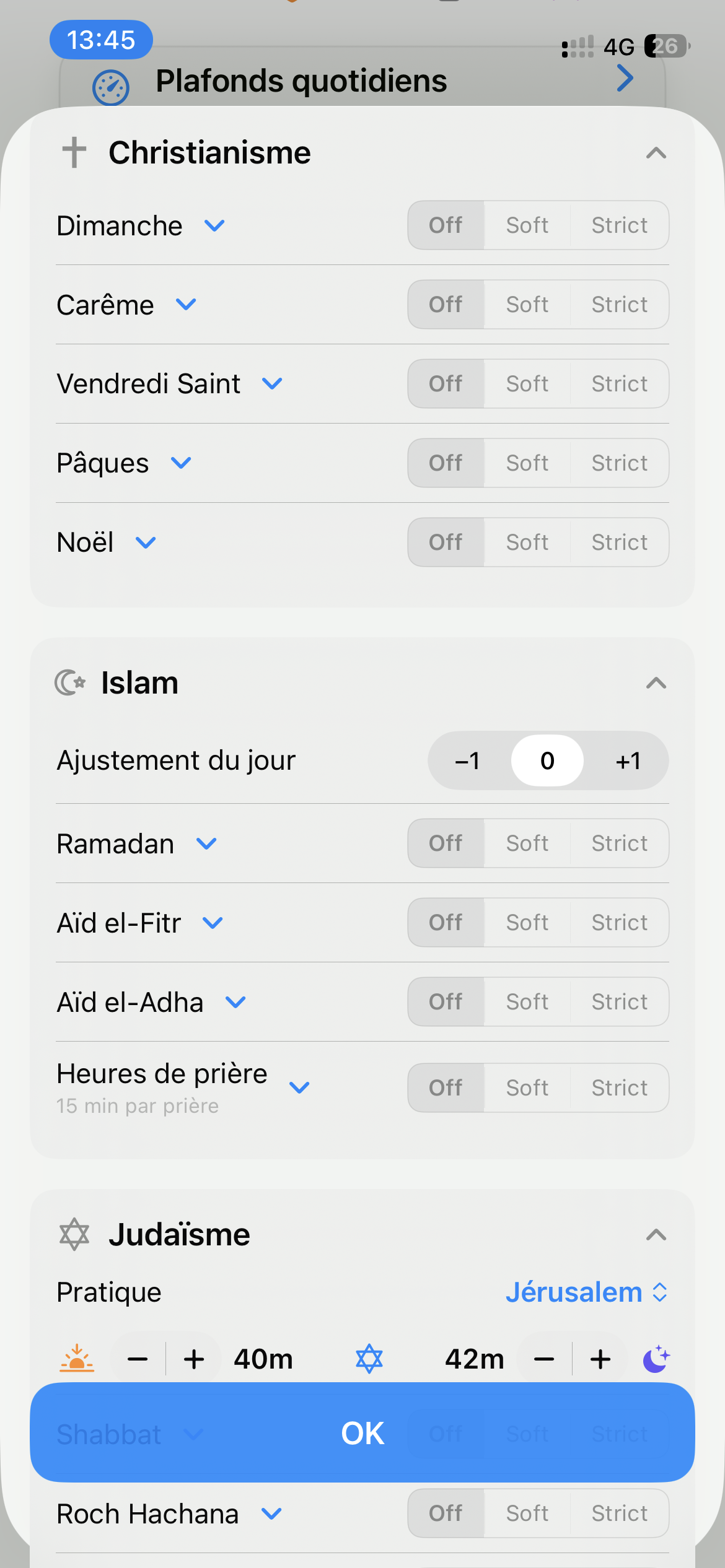
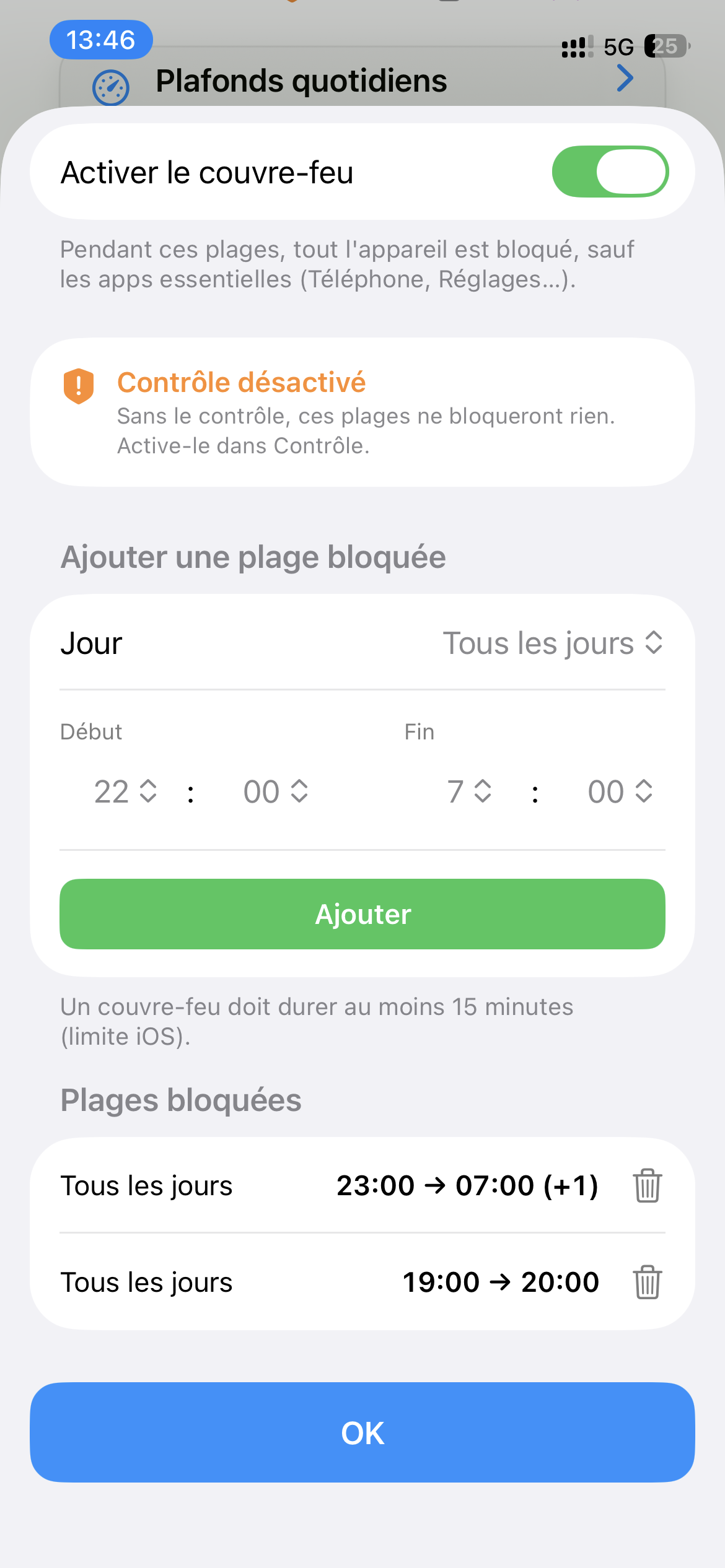
Set the rules once and let the device apply them calmly. A secure Parent PIN protects all settings, so children cannot change them on their own.
When 'Fun' credit reaches zero, the device automatically blocks 'Fun' apps. There is no need to police screen time or negotiate at the end of every session: the rules stay clear and consistent.
TimeCredit creates positive motivation: every minute of productive 'Work' time earns play time. And when life needs flexibility, you can add or remove 'Fun' minutes manually.
Get a clear view of how you use your device and build habits you can keep. TimeCredit offers transparent app usage data by app and category, with daily, weekly, and monthly views to spot trends and time sinks.
Turn insight into action with practical control tools: per-day schedules, per-app limits, and 'Fun' credit that grows when 'Work' comes first. The framework is simple: time to work, time to relax, and a healthier balance that lasts.
Independent and privacy-friendly
TimeCredit is built for families, focus, and healthier screen habits — without ads, tracking, or selling personal data.
Keeping a calm, respectful tool alive takes time: designing the app, testing it, updating it when iOS changes, writing clear help pages, and protecting a model that does not depend on advertising or user profiling.
If TimeCredit helps your family reduce conflict, protect rest, encourage focus, or simply breathe a little easier around screens, you can support its development with a small contribution.